


An important concepts in Infor CRM SLX security is record ownership. Ownership determines who can view, update, and manage CRM data, making it a critical part of maintaining proper access controls throughout the system.
Historically, records owned by Everyone have presented a unique challenge. While assigning ownership to Everyone makes records accessible across the organization, changing ownership later has required the Administrator to step in. This often creates unnecessary bottlenecks for routine account management tasks.
With Infor CRM SLX 10.0, administrators now have greater flexibility thanks to a new secured action called EveryoneOwnerAssignment.
What Is EveryoneOwnerAssignment?
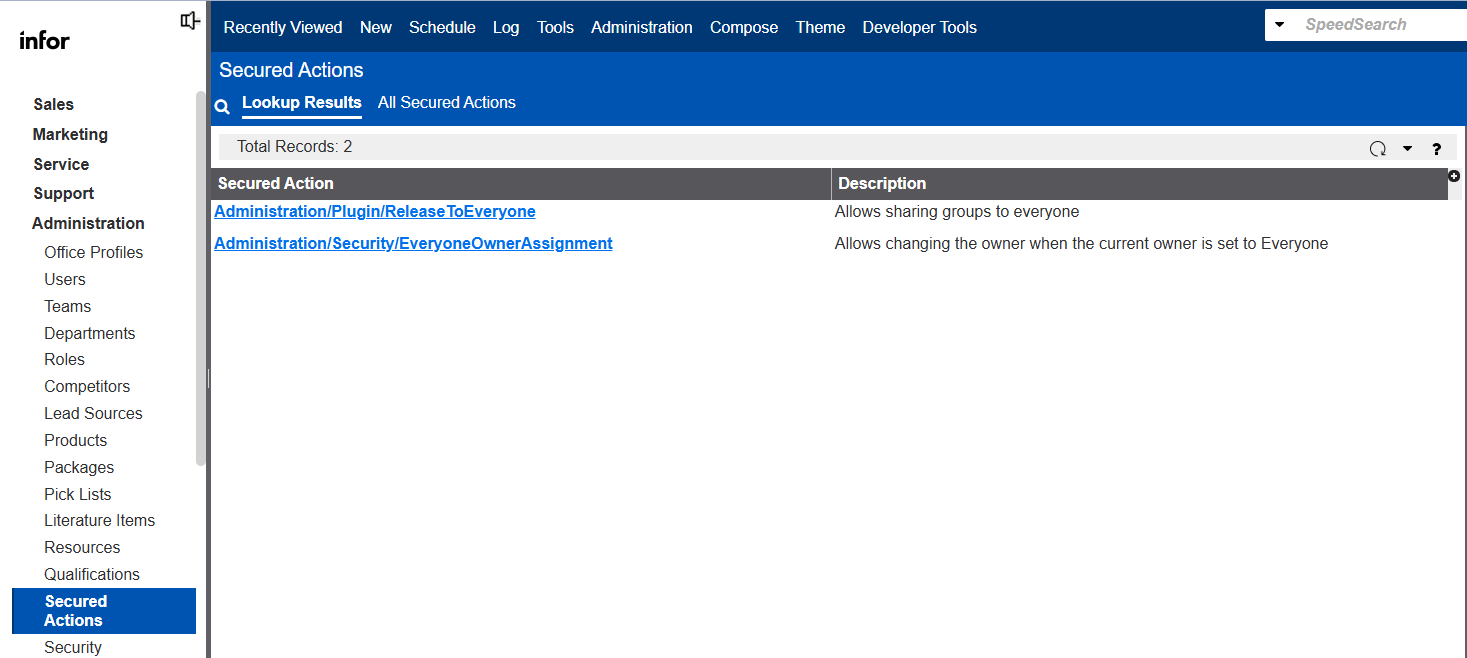
The new EveryoneOwnerAssignment secured action allows designated users to change the ownership of records currently owned by Everyone.
Prior to version 10.0, only the Administrator user could perform this action. Now, organizations can grant this capability to managers, team leaders, or other trusted users without requiring full administrative access.
The secured action can be found within the Web Client:
Administration > Secured Actions > EveryoneOwnerAssignment
How It Works
The EveryoneOwnerAssignment permission is not assigned to any role by default. Administrators can choose to:
- Create a new role specifically for ownership management
- Add the secured action to an existing role
- Grant the permission only to selected users who require the capability
This approach allows organizations to maintain strong security controls while reducing dependence on CRM administrators for day-to-day ownership changes.
Why This Matters
For many organizations, account ownership changes occur regularly due to territory realignments, staffing changes, mergers, acquisitions, or account reassignment initiatives.
By allowing designated business users to manage ownership changes for Everyone-owned records, organizations can:
- Reduce administrative workload
- Improve operational efficiency
- Eliminate delays in account reassignment
- Maintain appropriate security controls
- Empower managers to handle ownership changes directly
A Small Enhancement with Big Administrative Benefits
The EveryoneOwnerAssignment secured action may seem like a minor addition, but it addresses a long-standing administrative limitation in Infor CRM SLX. By giving administrators the ability to delegate ownership changes for Everyone-owned records, organizations gain greater flexibility while keeping security firmly under control.
If you’re upgrading to Infor CRM SLX 10.0, this is one feature worth reviewing to determine whether ownership management responsibilities can be delegated to key users within your organization.

