


This is the final post reviewing the standard Crystal reports that come with an implementation of Sage SalesLogix. Today we will cover the remaining reports labeled Support Unresolved Tickets, Support Weekly Recap, and Support Work Order. All of these are located under the Ticket group of reports.
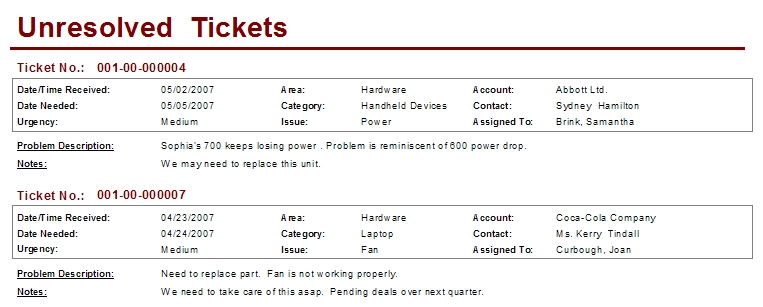
The Support Unresolved Tickets report displays Ticket records where the status is not equal to “Close” and the Need By Date is within Date range selected when running the report. The conditions fields selected for this report are Assigned To and Assigned Date. One other report parameter provided to the user of the report allows for the inclusion of Ticket Notes. These notes are stored in the Internal Only field on the Ticket Comments tab. I really do not see any issues with the format or layout of this report and I have no suggestions for improvements.
The Support Weekly Recap provides a count by Assigned User of Tickets entered in the system for the current week. The Received Date is the field being used to qualify records for the report. The condition fields for this report are AccountID for User (which would return no data since it is not a user id) and Create Date for the Date. Both condition fields provide no value because this report uses a record selection formula that collects records entered since last Sunday. The layout of the report is pretty straight forward. I have seen some modifications breaking these counts up by Area or Status. This Report was updated, follow this link to see how.

The Support Work Order report is really the complete Ticket printed on a piece of paper. When you run the report you are presented with one parameter for Notes, once again this is the Internal Only notes from the Ticket Comments tab. The condition fields for this report are Assigned To and Modify Date.
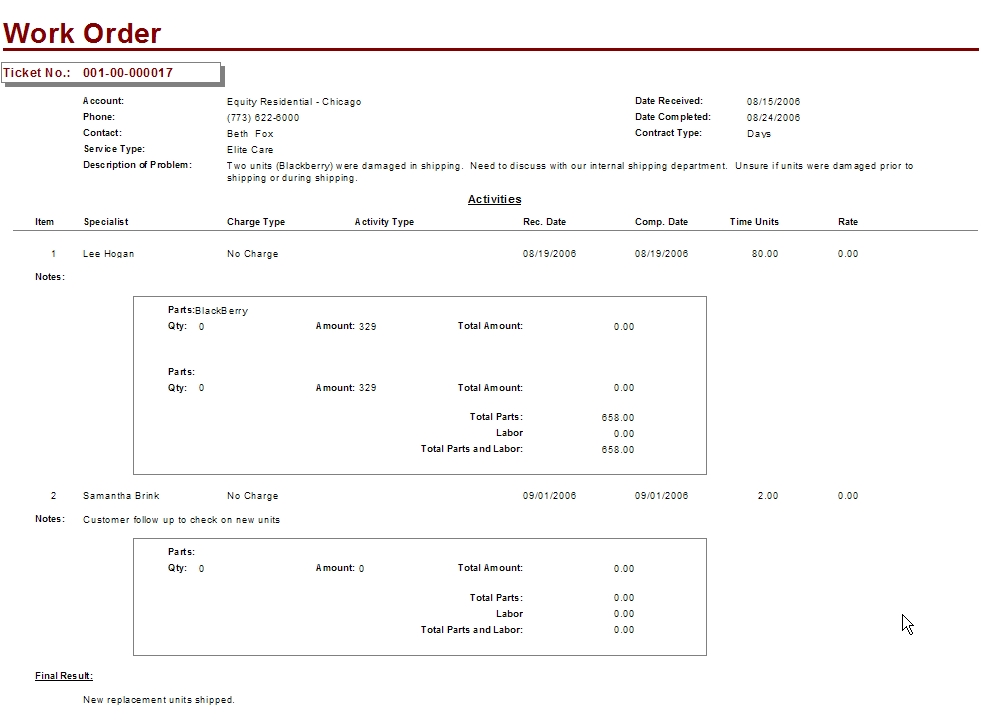
Looking at this report you see that it is out of date with the way SalesLogix currently operates today. For example, with standard SalesLogix you can not choose a Qty when entering Activity Parts for a Ticket, this is causing an issue with the Total Amount field. To fix this report I suggest removing both the Qty and Total Amount fields and then make some adjustments to the layout to include removing some of the white space to shorten the over all length. Also, I think this is one of those reports where it would be nice to launch it from the Ticket main view. Over all I like this report and with a little effort we can make this a very valuable report for all users of the system. This report was updated, follow this link to find out how.
So we finally completed our review of the Crystal reports that come standard with SalesLogix. My next steps are to go back into each post and find reports where it would makes sense to update the layout and functionality of the report, providing tips and procedures to follow along the way. I then plan to update each previous post with the hyperlink to how we fixed the report making this the most complete on line reference to SalesLogix reports. Thanks for reading.

