


We have recently ran into a big problem with SalesLogix version 8, when using an external file-based VFS to develop and deploy from. There are several reasons to use an external VFS. Building from an external VFS is much faster than a database based VFS. But by far the biggest reason to use external VFS is for source control. SalesLogix lacks any source control in the web components. In the LAN based development environment they at least had plugin versioning. The web platform has absolutely no versioning, nor any kind of source control.
Maintaining external VFS under source control is awesome and I would recommend anyone needing to do any kind of extensive customizations to use source control. We have used it for several years very successfully.
HOWEVER….
Starting in version 8, SalesLogix introduced the concept of “dynamic customizations” where you can do some limited changes to SalesLogix quick forms from within the browser. While this is nice in theory it requires that those changes write back to the underlying stored quick forms in the VFS and that is where the issue comes in.
SalesLogix writes a line to a appSettiongs.config file that includes the source location of the VFS used to deploy the web site. In a web site that was deployed from the database-based VFS a line is created such as this:
<add key=”sage.platform.projects.projectRoot” value=”VFS:Model” />
When a external file-based VFS is used it takes the path listed in the Application Architect’s Project Workspace Manager and writes the same line, expressed as:
<add key=”sage.platform.projects.projectRoot” value=”C:ExternalModel” />
Now the problem comes in when you try to bring up the web site. if the web server can’t access the path defined in the appSetting.config file you get an exception:
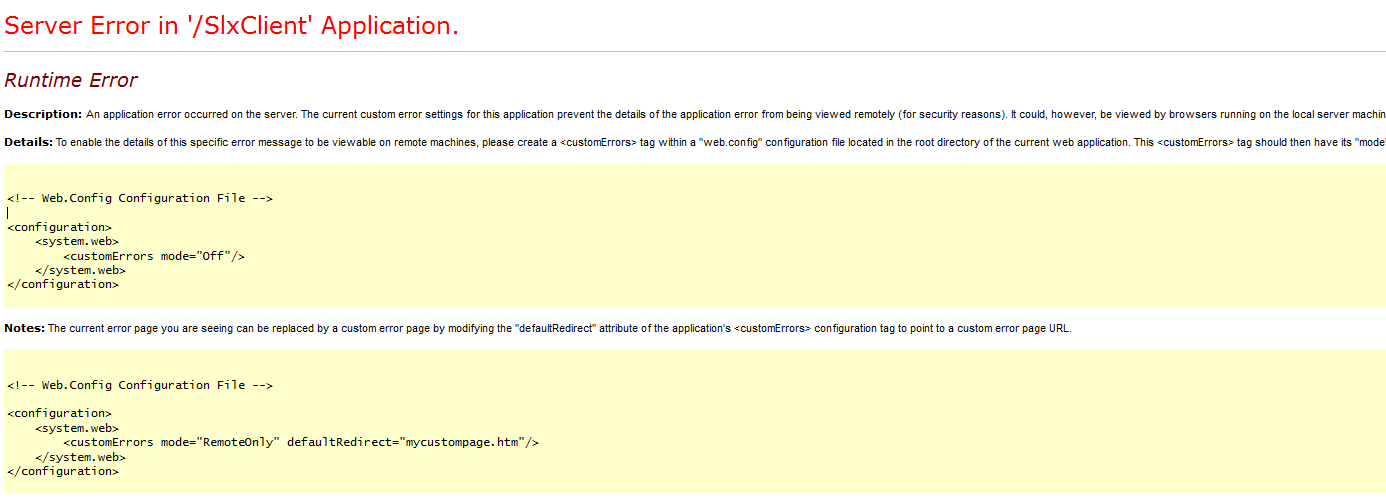 If you allow remote errors or run that on the server you will see the details of the error:
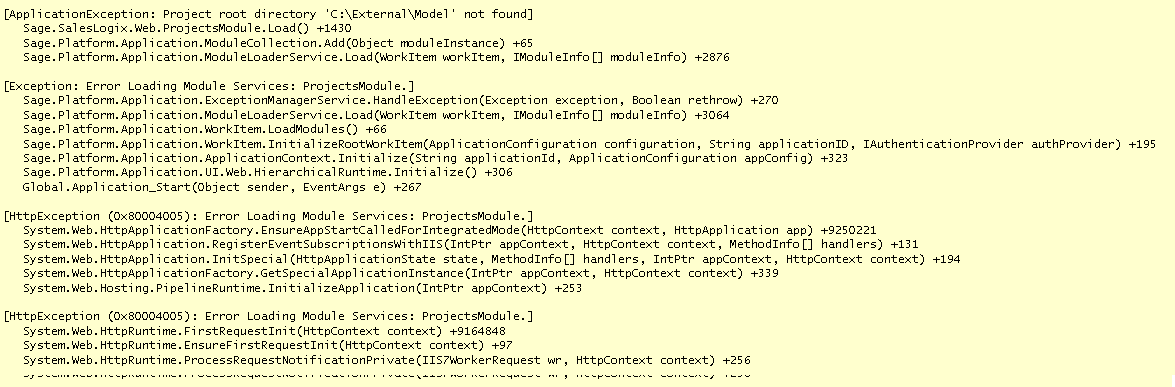
Notice the line:
[ApplicationException: Project root directory ‘C:ExternalModel’ not found]
That is being caused because the path that was used when the web site was deployed was C:|ExternalModel
Now there are lots of reasons why this is bad:
- Not everyone can run the application architect on the production web server. Lost of
clients require a separate workstation be used. A path of C:ExternalVFS is valid on the deploying workstation, but not on the web server. - Maybe Dan Developer had to deploy some change. She was using an external VFS for fun. As soon as she deploys, if she has a path that is not accessible from the web server,
Whamo! the web site goes down. - Maybe Charlie Coder deploys from an external VFS that the web server does have access to and everything goes along swimmingly. Then 2 weeks later somebody is doing some house cleaning and the originating file system VFS is deleted because it is not needed anymore. Whamo! the web site goes down.
- Sue deploys from her machine after working late and everybody cheers when the new fancy widget is there. But then Sue turns off her machine and goes on vacation for a month. Whamo! the web site goes down..
- I assume since that path is being written to the web site it is being used to write back the “dynamic customizations” to that location. What if that is not correct? What if it is deleted, are all the changes lost?
- In a multi web-server deployment, how can one path be ensured to be reliably accessible by all the various web servers?
- And on and on…
SalesLogix needs to fix this! A reliance to the location the web site was deployed from is inherently problematic.
We must be able to use external VFS for source control/multi developer support, because it is Tuesday, etc.
What I would propose is:
That a check box be added to the Deployment screen, "Disable Dynamic Customizations".This check box could be checked if the current project active from the Project Workspace Explorer is the database VFS.If the current workspace is a file based VFS then the check box is automatically checked and can't be de-selected.Upon deploying, if that is checked, the dynamic support functionality is disabled in the web.config and the app_codeglobal.cs, see here.Also, upon deploying, if that is checked, that the Project Root defined in the appSettings.config file is expressed as<add key=”sage.platform.projects.projectRoot” value=”VFS:Model” />


File synching tool…??
Any ideas or suggestions as to which one to use?
I am running on the same problem, since as a dev… I need to ‘commit’ my changes into a SalesLogix installation on a VM. Without the option to seemingly do it in a transparent manner… this is becoming cumbersome!