


To deploy customizations from one system to another in SalesLogix 7.5 you have two options, web manifests or the traditional LAN bundles. Web manifest contain the changes to the VFS that comprises the web interface and entity model. They also can contain other actions, including copying picklists. There are some limitations to using the web manifest in deploying picklists, as this post will discuss.
If we take a look at the details of a web manifest bundle we can see that it contains an Actions tab and one of the Actions that can be performed is adding Picklists:
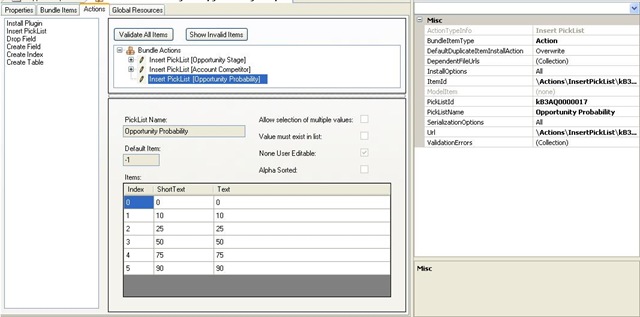
When you select the "Insert Picklist" action you are presented with an dialog to select a Picklist:

This is similar to the LAN dialog, however when you select a picklist to create a traditional LAN bundle you get another screen that allows you to define attributes about the picklist, including which items are copied and wether the target system should have the existing picklist entries overwritten:
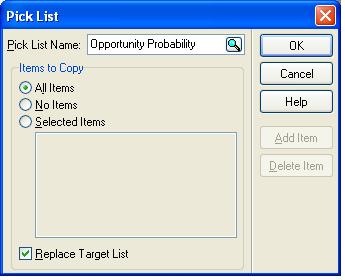
Since the web manifest does not have these options you do not have control over overwriting the target system’s picklist entries. This means that if you want to copy the contents of one system’s picklist and replace another system’s picklist with those entries you must use the LAN based bundle process.
Hopefully at some point this feature will be added to the manifest insert picklist dialog.

