


Recently, both myself and others here have done some experimentation with the sorts of things we can get Creatio’s AI to do. Depending on what we asked for, and even how we asked it, our results could be very useful, very confusing, or the occasional “Sorry, can’t do that.” I’d like to share some of that here, in hopes it might help others to have an idea of how Creatio’s AI can best be useful. This will mainly be observations of what worked well or poorly when we tried it, as opposed some sort of formal review. Our testing involved having Creatio’s AI set up dynamic folders (which filter the items displayed). As someone who actually enjoys setting up filters manually, this is not a task I would be likely to use AI for myself. But it is something many folks could find useful, and something which is easy to evaluate whether the AI has correctly acted on the request.
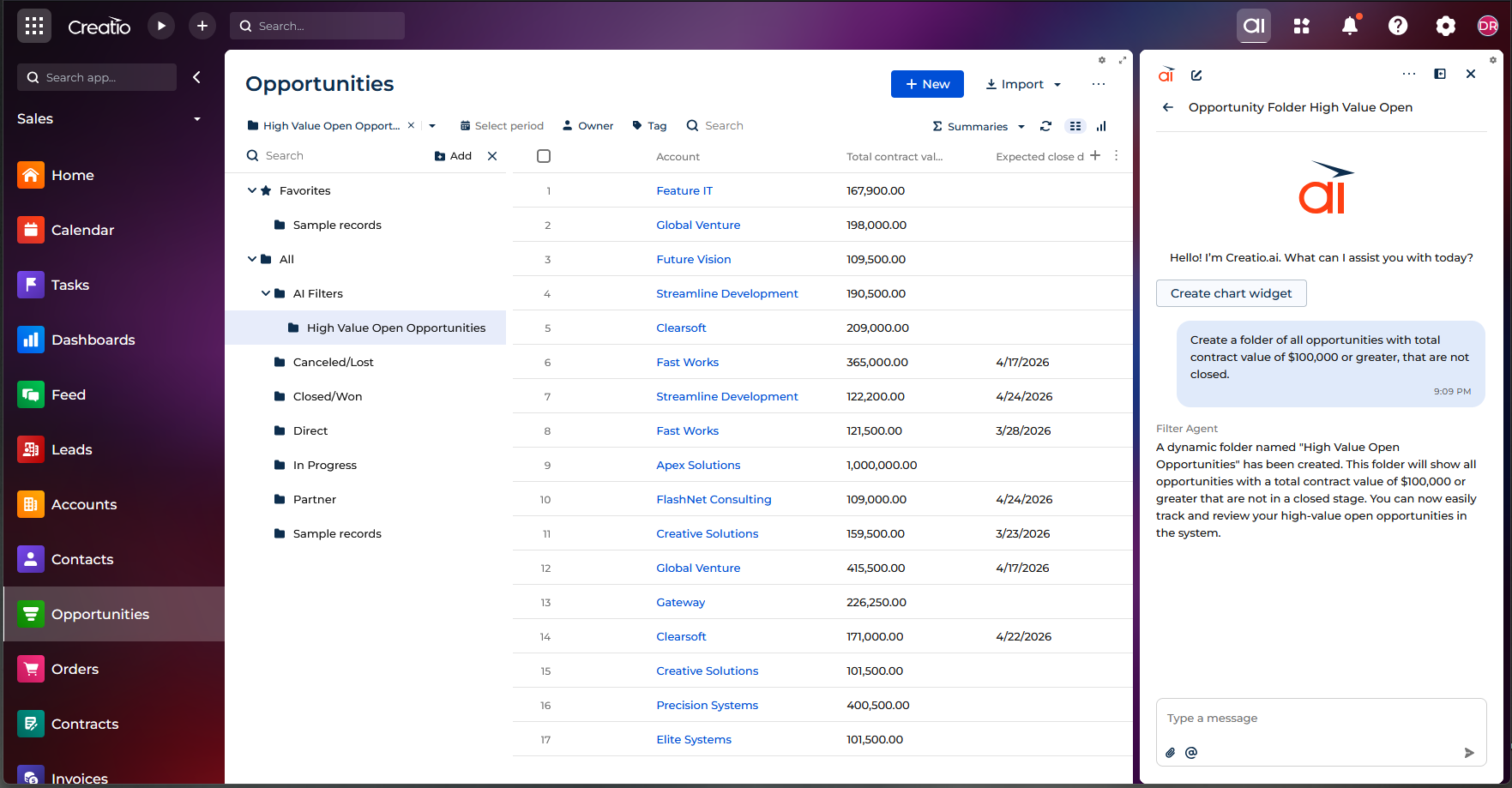
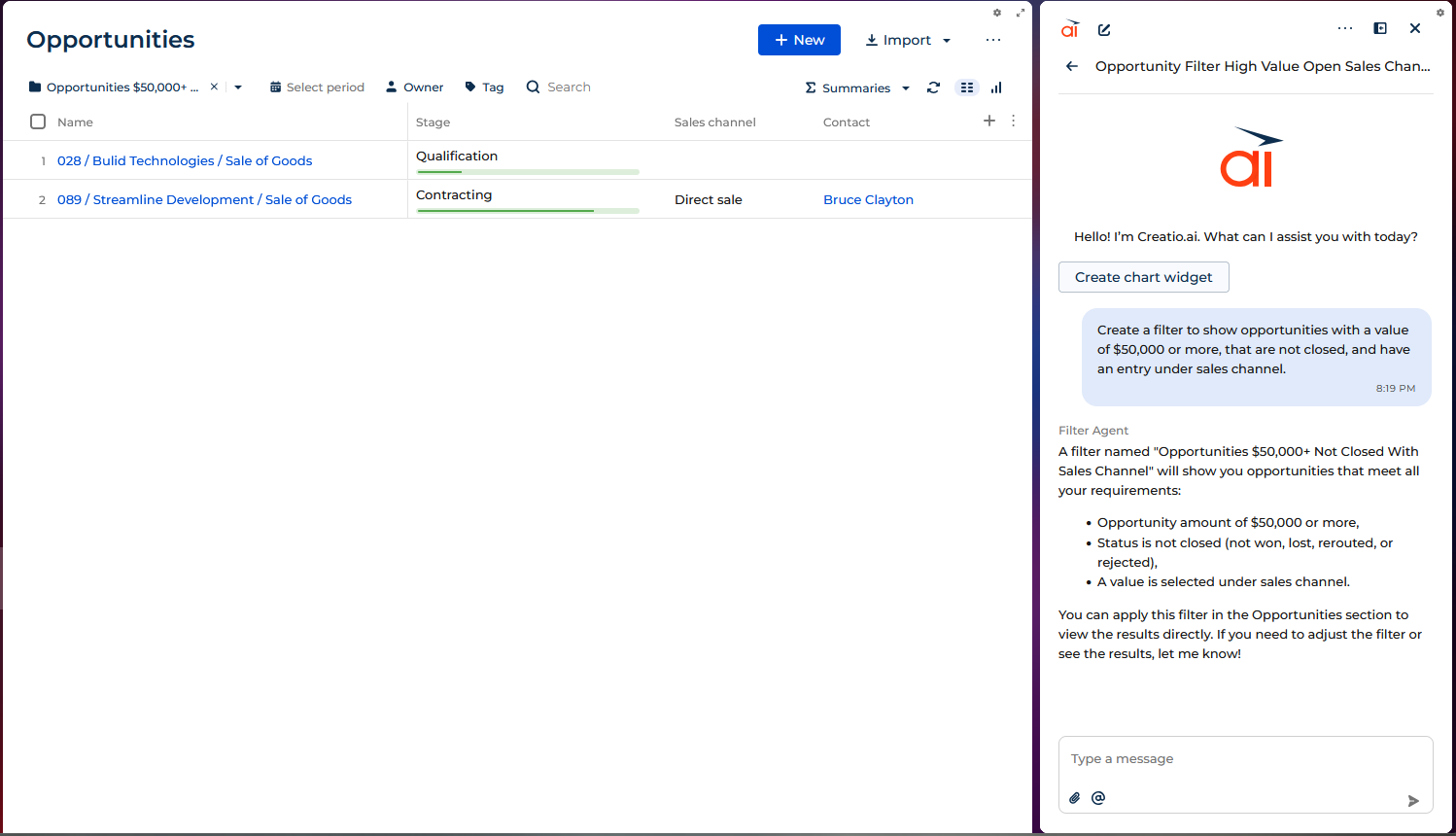
One thing to keep in mind (as mentioned in my earlier post) is that the first thing Creatio’s AI does is to evaluate which AI agent will handle the request. Therefore, it is important to use language that Creatio will interpret as a specific Creatio request, rather than a general question that will be sent to the general AI. For example, if I tell Creatio’s AI to create a filter showing opportunities with a value of at least $50k that are not closed but do have an entry under Sales channel, it sends that request to the filter agent, and creates the following dynamic folder.
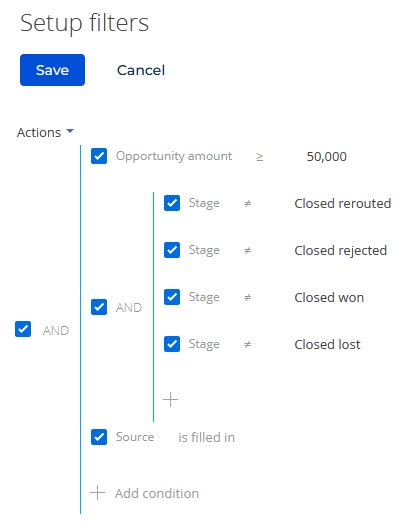
We can have a look at the settings for dynamic folder that Creatio’s AI had created to verify it matches what we were going for. Go to the dynamic folder in the list of folders, click the Set up filter symbol (you might have to scroll right to see it), and you can examine the filter rules for that dynamic folder. You can even edit the filter rules further if desired.
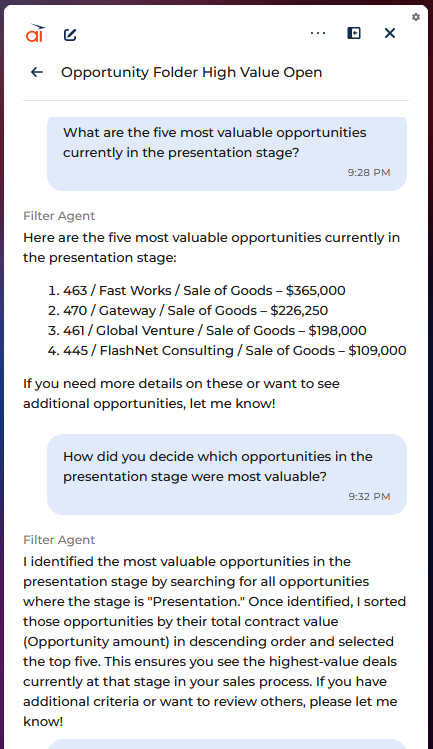
If, on the other hand, I just ask AI what the 5 most valuable opportunities are, it doesn’t create a folder, but instead has the general AI answer the request right there in the chat, but not always that well. As you can see below, it has given me only four opportunities, and they are not even the top four (though, upon checking, I see they are all in top seven). Also, since the answer is right in the chat, there is no dynamic folder or filter to examine.
With that in mind, I set out to see how Creatio does when I ask the AI to create various dynamic folders. Generally speaking, as long as I specifically asked it to create a folder, and was clear with the conditions I wanted, it was quite solid at creating dynamic folders. In the cases where I asked it for something outside what it could do, or when there was as issue with naming; it might just tell me it could not do what I asked, or it might make a guess that could be anywhere from almost correct to completely inexplicable.
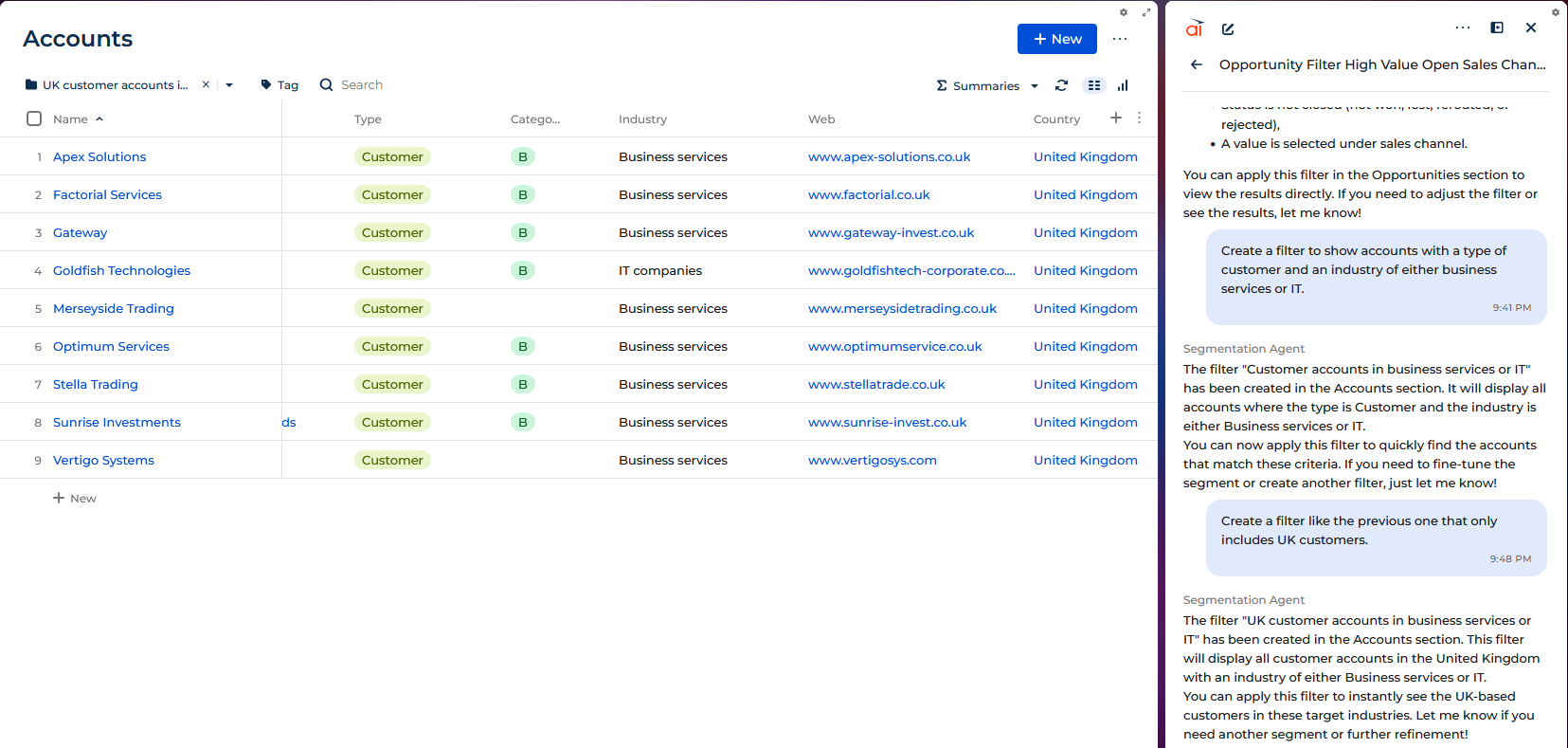
For example, I created a dynamic folder to contain all the customer accounts that are for business services or IT companies, based in the UK. I actually had AI do that one in two parts, to see if it could iterate on a dynamic folder it had just made, which it could. You can see that all the companies displayed are UK customers in one of those two industries.
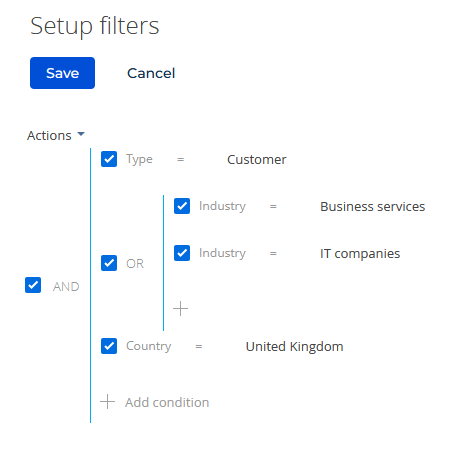
And if we take a look at the filter for that dynamic folder, it does indeed appear to be set up correctly, including accounts that are customers in the UK and either business services or IT.
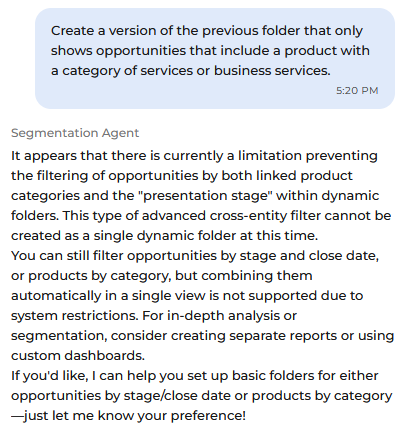
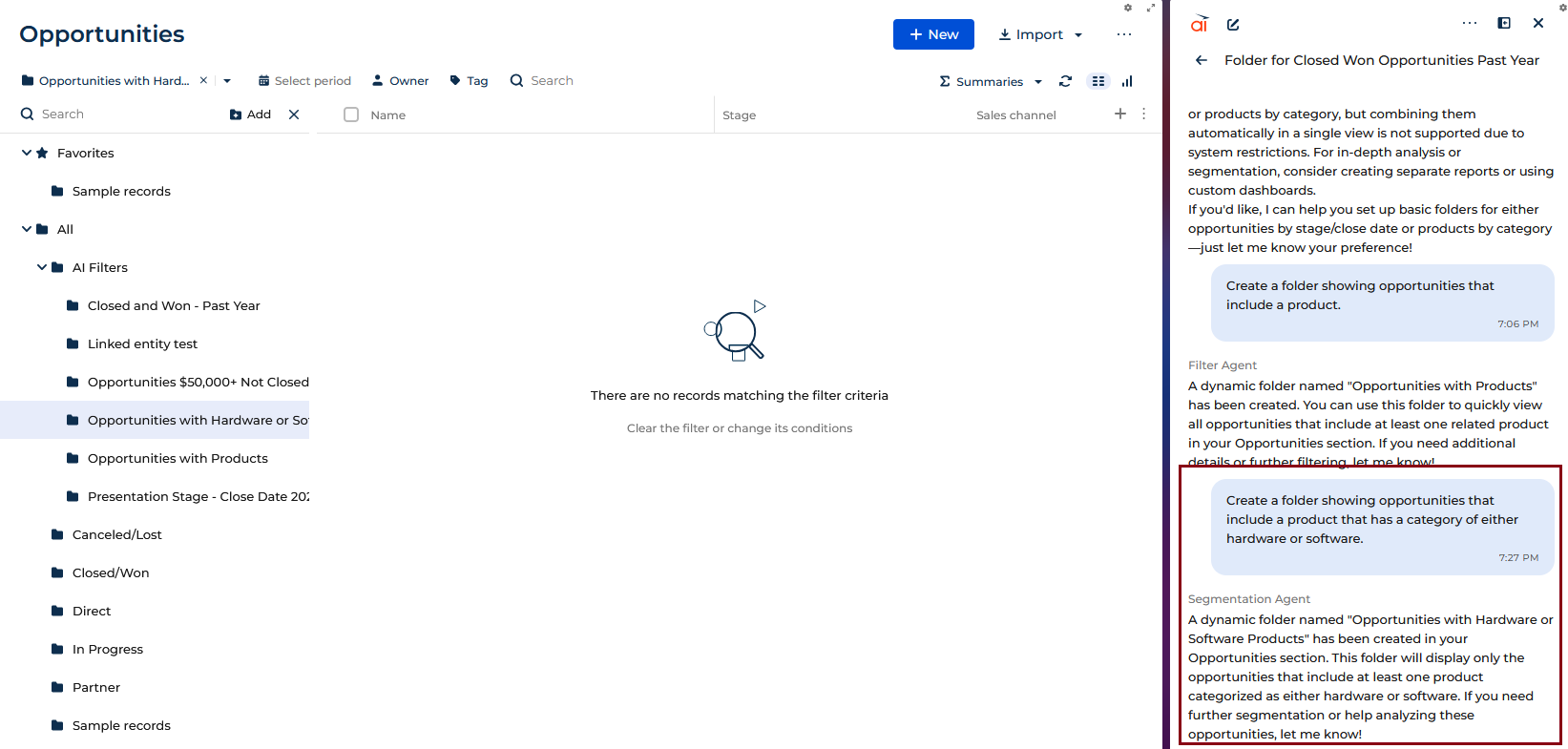
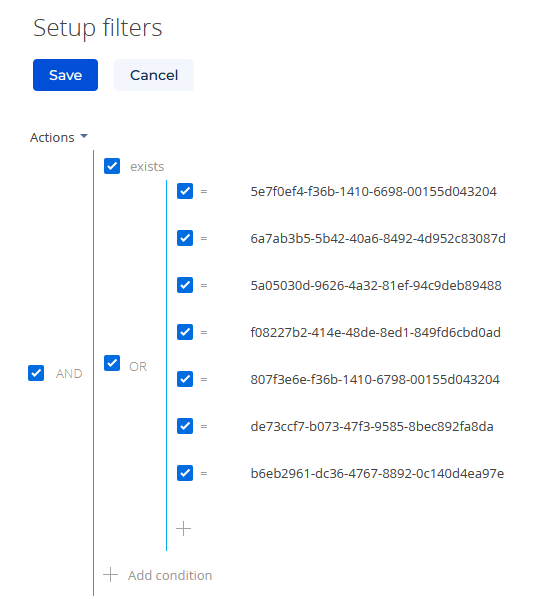
I would sometimes get odd results if I used to wrong name for a field I wanted to filter on, in which case it might guess the field I meant, or might pick a different field than intended. Much stranger results could arise when AI is asked to make impossible (or merely overly complex) filters. One of my colleagues came up with the idea of trying to filter opportunities based on attributes of the products included in those opportunities. Because opportunities to products is a one-to-many relationship (an opportunity can have multiple products), you can’t easily construct a filter that works that way. (Programmers, check my math here. I am sure a SQL query could be written for this, and perhaps someone with a better knowledge of the relations in the underlying database could come up with clever way to get those results with a simple filter.) One of the times I asked AI to create such a filter, it straight-up told me there was a limitation preventing that.
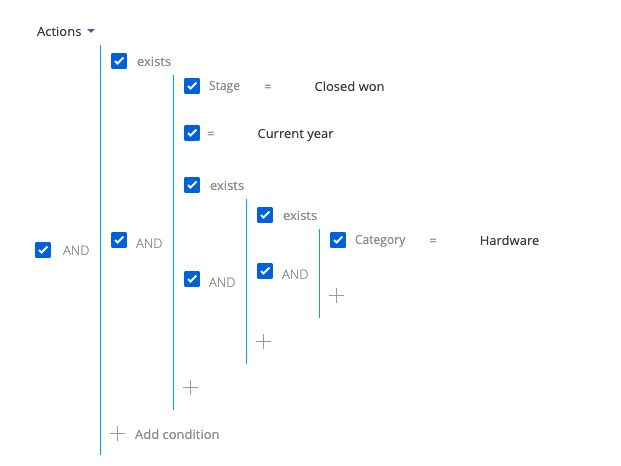
On other occasions, it would produce a a dynamic folder with nonsensical conditions that did not actually include any items.
Hopefully, these examples have been helpful to some of you. I don’t know if there is any particular conclusion to draw here; maybe that AI is roughly as good as I am at creating filters for dynamic folders within Creatio. It is definitely a bit faster, but probably more likely to just take a random stab at things if it isn’t sure what you want. Also, much like myself, Creatio’s AI is more effective the more specific you are with your request.

